- Pemulihan data
- Pemulihan Data untuk PC
- Pemulihan Data untuk Android
- Pemulihan Data untuk iPhone/iPad
- Buka Kunci Untuk Android
- Buka kunci untuk iPhone/iPad
- Perbaikan Sistem Android
- Perbaikan Sistem iPhone/iPad

Diperbarui Oleh Cameron Pada 29 Juni 2023, 19:23
Dengan pesatnya perkembangan media online, semakin banyak orang yang terlibat dalam pengambilan gambar, produksi, dan perilisan video. Namun, alat pengeditan video di industri juga bermunculan satu demi satu, seperti perangkat lunak pengeditan video yang fungsional dan ringkas, serta perangkat lunak pengeditan video yang profesional dan menakjubkan, seperti layar hijau. Beberapa dari alat pengeditan video ini mudah dipelajari, beberapa memiliki kurva pembelajaran yang curam, beberapa menyediakan unduhan gratis, dan beberapa memerlukan biaya mahal untuk menggunakannya. Misalnya, meskipun Adobe Premiere memiliki fungsi pengetikan warna, namun biayanya mahal dan tidak mudah dikuasai oleh pemula. Software edit video green screen jenis ini bukanlah pilihan bijak bagi pengguna yang hanya membutuhkan fungsi pengeditan video sederhana.
Oleh karena itu, kami akan merekomendasikan beberapa perangkat lunak pengedit video layar hijau gratis dengan fungsi pengeditan lanjutan, termasuk fungsi pengetikan warna atau layar hijau. Selain itu, kami juga akan memperkenalkan cara membuat video layar hijau.
Untuk menghemat waktu dan energi Anda, setelah perbandingan menyeluruh dan penggunaan berulang kali, kami percaya bahwa Perekam Layar adalah salah satu editor video layar hijau terbaik di antara banyak perangkat lunak pengeditan video. Antarmukanya sederhana dan ramah pengguna. Perekam Layar memberi pemula fitur tombol warna yang dapat membantu pengguna membuat video layar hijau dengan mudah. Selain itu, Screen Recorder juga mendukung kombinasi layar hijau dan efek video gratis untuk menghasilkan efek video yang lebih mengesankan. Perekam Layar sangat kompatibel dengan komputer Windows dan Mac. Ini memungkinkan pengguna untuk mengedit file video yang diarsipkan pada PC Windows atau Mac.
Selain Perekam Layar, alat perekam video layar hijau ini, ada sejumlah editor video gratis namun fungsional di industri yang juga dapat membantu pengguna mensintesis rekaman layar hijau. Software green screen gratis untuk Windows, Mac dan Linux berikut ini bisa Anda pilih berdasarkan performa serta kelebihan dan kekurangannya.
VSDC Free Video Editor adalah alat pengeditan video komprehensif yang menampilkan gambar, koreksi warna dan pencahayaan, filter, transisi, efek audio, dan banyak lagi. Karena fitur-fiturnya yang canggih, banyak pengguna pengeditan video akan memilihnya sebagai software layar hijau mereka. Faktanya, ini adalah salah satu dari sedikit program editor video perangkat lunak gratis dengan pengeditan layar hijau. Jika Anda menggunakan komputer Windows, Anda dapat menggunakannya untuk mensintesis video layar hijau.
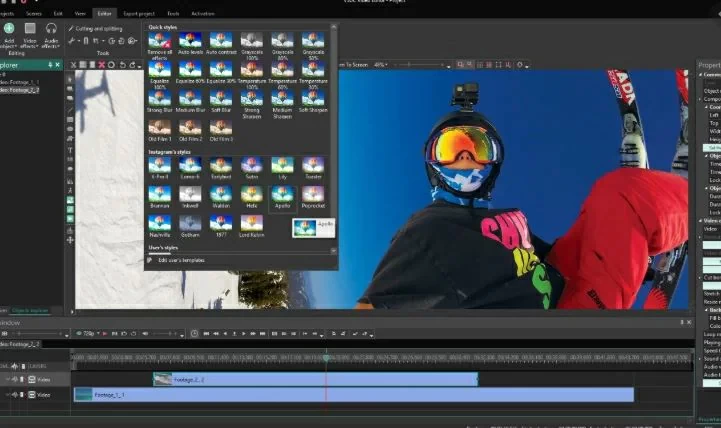
Fitur Editor Video Gratis VSDC:
Keuntungan:
Kekurangan:
Mac baru hadir dengan iMovie internal untuk membantu pengguna menyelesaikan pengeditan video dengan mudah. Pengguna Mac dapat menggunakan fungsi pengeditan video dasar iMovie seperti memotong, memutar, memotong, dan memisahkan, serta garis waktu yang sederhana, suara dan animasi bawaan, dan efek yang mudah digunakan seperti efek layar hijau. Menggunakan iMovie dapat dengan cepat menyelesaikan produksi video profesional.

Fitur iMovie:
Keuntungan:
Kekurangan:
Hanya sistem iOS yang didukung.
Rekomendasi Alat: Perekam Layar
Jika Anda mencari perangkat lunak pengedit layar hijau open source gratis, VirtualDub adalah pilihan yang harus dimiliki. Ini dapat membantu pengguna dalam pengeditan video dasar, seperti menukar trek audio, menambahkan filter, efek layar hijau, memotong dan mengedit, dan menyesuaikan audio. Namun jika Anda membutuhkan kemampuan pengeditan video yang kuat, maka Anda memerlukan program pengeditan video profesional.
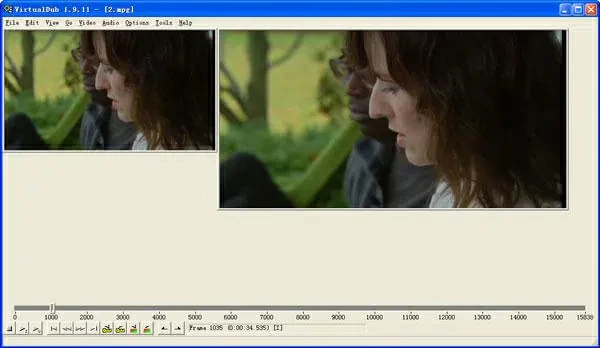
Fitur VirtualDub:
Keuntungan:
Kekurangan:
Wax adalah editor video yang dapat digunakan untuk tujuan komersial dan pribadi, sederhana dan mudah digunakan. Ini memiliki plugin 2D dan 3D yang dapat membuat efek layar hijau, mendukung pembuatan klip video pai dinamis dan fitur lainnya, seperti pengomposan kunci kroma. Anda dapat menggunakan Wax sebagai perangkat lunak layar hijau mandiri atau sebagai plugin.

Fitur Lilin:
Keuntungan:
Kekurangan:
Rekomendasi Alat: Perekam Layar
As an upgraded version of the Zwei Stein green screen editor, the ZS4 video editor has advanced video editing and compositing tools, including customizing the width and height of the output video, adding unlimited tracks and sub compositing, subordinate effects, and writing controls for audio waveforms. In addition, it also features over 150 impressive built-in video effects, such as excellent color and chroma keys.
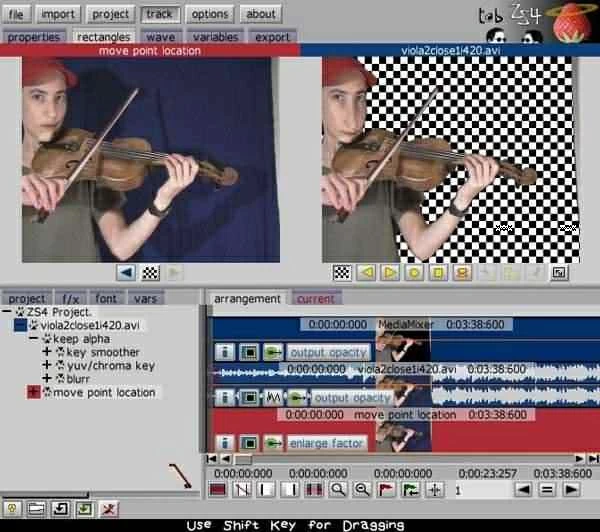
Features of ZS4 Video Editor:
Advantages:
Disadvantages:
Lightworks is a free green screen editor with over 25 years of history, highly praised by users. It has numerous advanced video editing functions, such as audio and video FX functions, which can help users create stunning green screen videos. Lightworks is easy to use, and both beginners and professionals can quickly get started. In addition to being able to record green screen videos, Lightworks can also use its proxy workflow for 4K.
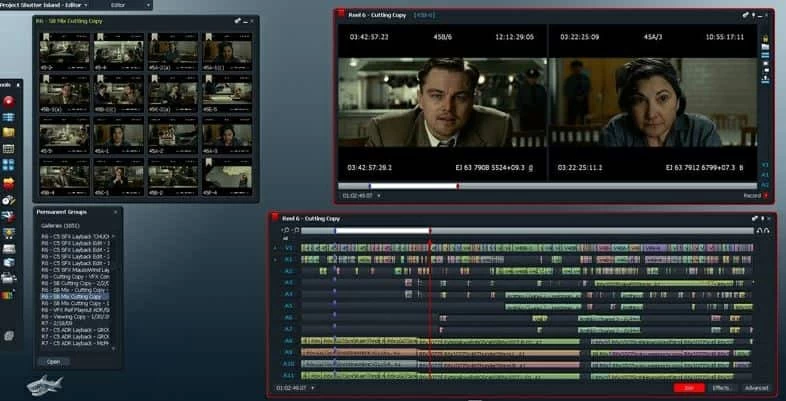
Features of Lightworks:
Advantages:
Disadvantages:
Tool Recommendation: Free green screen software
Regarding cross-platform free open source color keys/green screen software, you can also choose OpenShot. It is perfectly compatible with Linux, Mac and Windows operating systems. It is simple to operate and allows users to make green screen videos quickly and easily. The combination of 3D animation and chroma key effects can help you create satisfying videos.
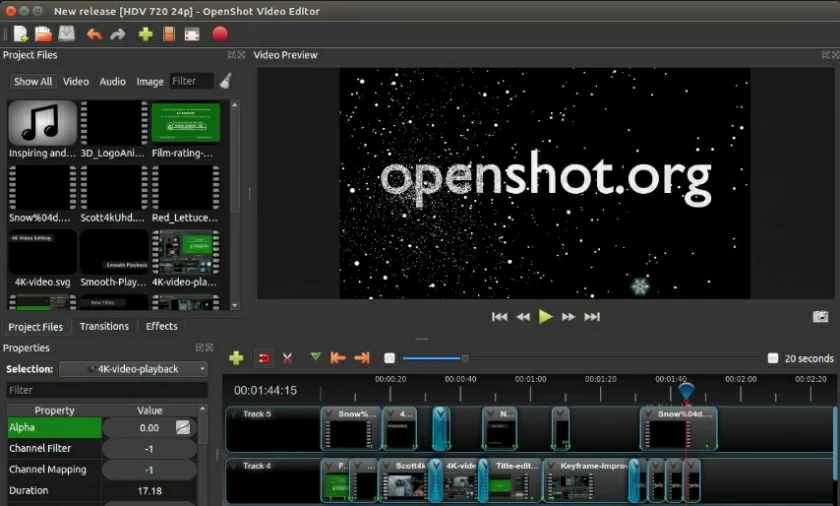
Features of OpenShot features:
Advantages:
Disadvantages:
Users of Linux, Mac, and Windows systems can also choose OBS Studio, which is a free multi-functional green screen editor. In fact, it is well-known to users as an open-source video recorder. But if you think it's just a video recorder, then you're wrong. In fact, it can also help you create green screen videos or edit videos. After recording or directly importing videos using OBS studio, you can try out color key effects. In addition, it also supports user-defined interfaces, which is very user-friendly!
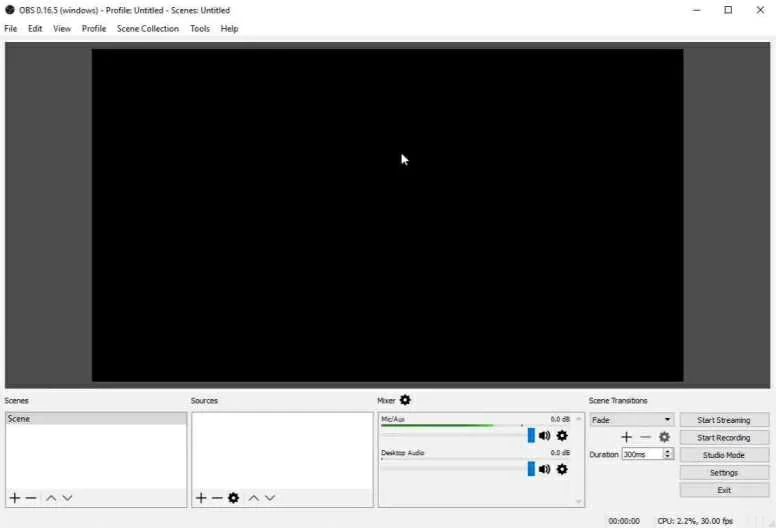
Features of OBS Studio:
Advantages:
Disadvantages:
Tool Recommendation: Green screen software
Among numerous green screen editors, HitFilm is a free and easy-to-use video editing tool. Its green screen function can meet users' creative video creation needs. If you are a beginner, you can learn the production techniques of green screen videos through Hitfilm's online courses. In addition, it provides over 140 preset effects to choose from. To easily create color key videos, try HitFilm.
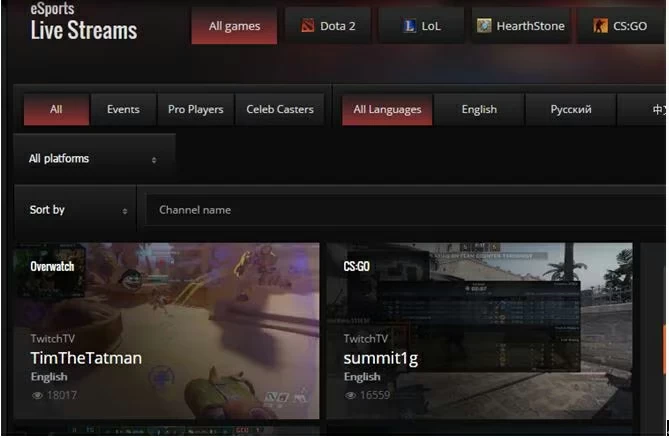
Features of HitFilm:
Advantages:
Disadvantages:
The green screen is done using a process called chroma keys. This process separates and removes a single color from the video in a narrowly defined region of the spectrum. Bright greens or blues are often used because they are very different from human skin tone and do not usually appear in clothing. The process requires green areas to be evenly lit with no visible shadows. Once the green screen is identified and digitally removed, anything can be added back to the green part.
On TikTok, the term "green screen" refers to the effect that you can customize the background of your videos. The effect allows you to upload a photo or video from your camera and shoot your own TikTok video with the photo in the background. In other words, you can choose any image you like to replace the background of the video. The green screen effects on TikTok are in the Effects library. Here's how to access it: Open TikTok → The "+" sign in the bottom center of the screen → Tap the Effects button in the bottom left corner of the screen. The green screen background has three options: 1. Upload a still image as the background. 2. Upload video as background. The 3.3D green screen allows you to upload still images and move them to a 3D position.
The above is the top 9 free green screen software in the industry that we have introduced to you. Whether you are using a Mac or Windows/Linux system, you can find the right green screen software to meet your video editing needs.
Meskipun perangkat lunak penguncian chrominance di atas dapat memenuhi kebutuhan dasar pengeditan video, hanya perangkat lunak Layar Hijau profesional yang dapat menyediakan fitur lebih canggih, seperti Perekam Layar. Secara keseluruhan, Perekam Layar menyediakan fitur pengeditan video profesional dan canggih dengan harga yang sesuai, sehingga sangat hemat biaya. Ini sangat kompatibel dengan Windows dan Mac.